Setup Guide - Free Trial
Follow these simple steps to start tracking your GPS devices
Step 1
Configure Your GPS Device
Configure your GPS with the following data:
Server IP:
104.168.132.185 (Backup: 163.245.194.213)
Port:
5071 (Backup: 5071)
Protocol:
TCP
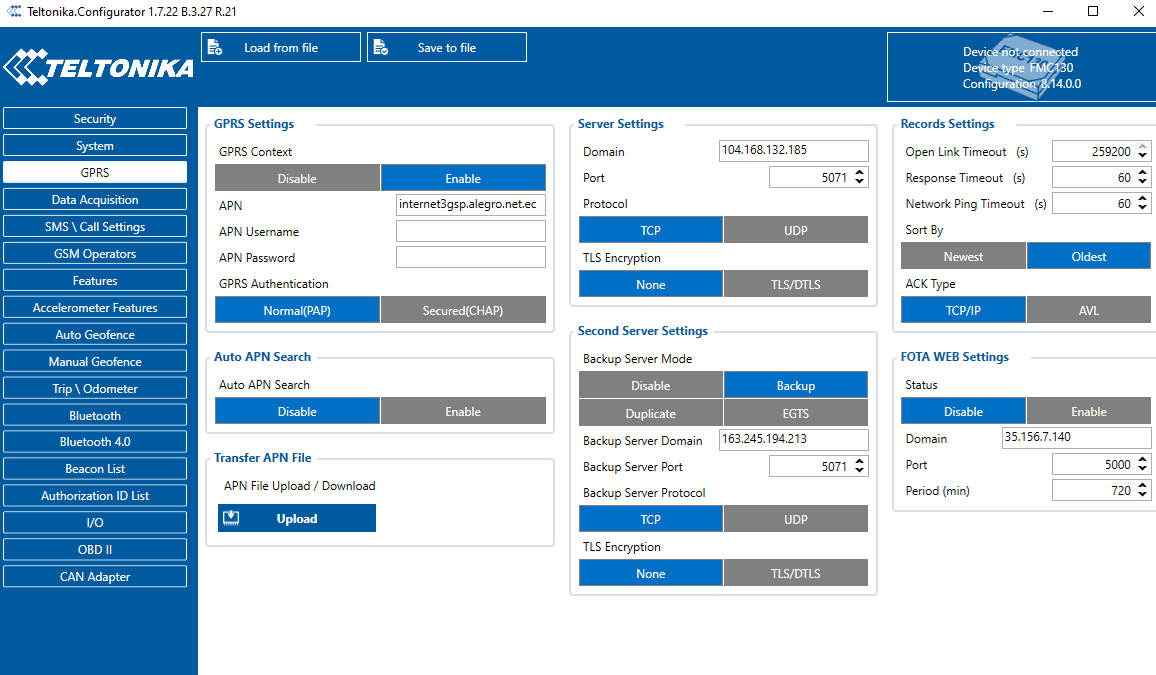
Don't know how to configure it?
Check our devices section for help according to your modelNeed direct help?
Contact us via WhatsApp (+593981659727)Step 2
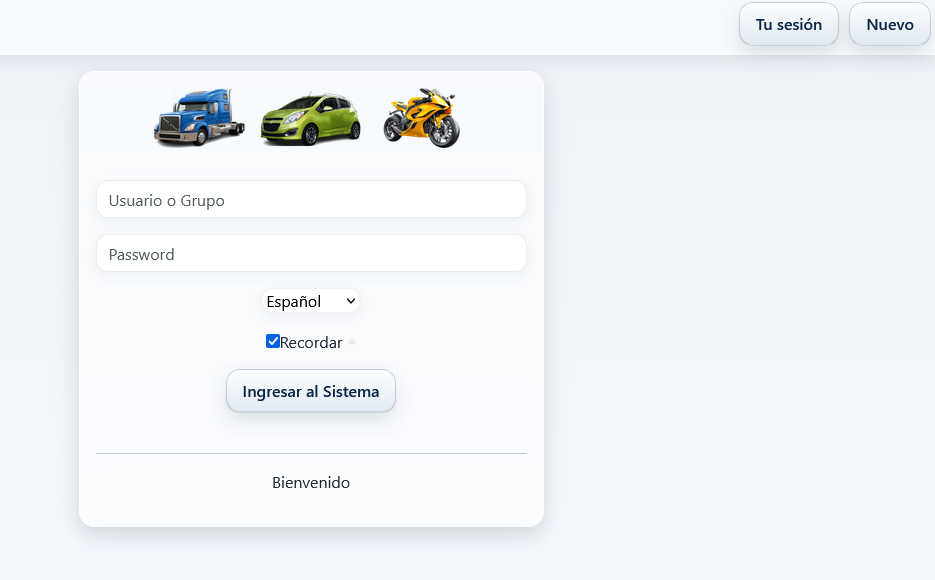
Access Tracking Platform
Once your device is configured, access our tracking platform:
Step 3
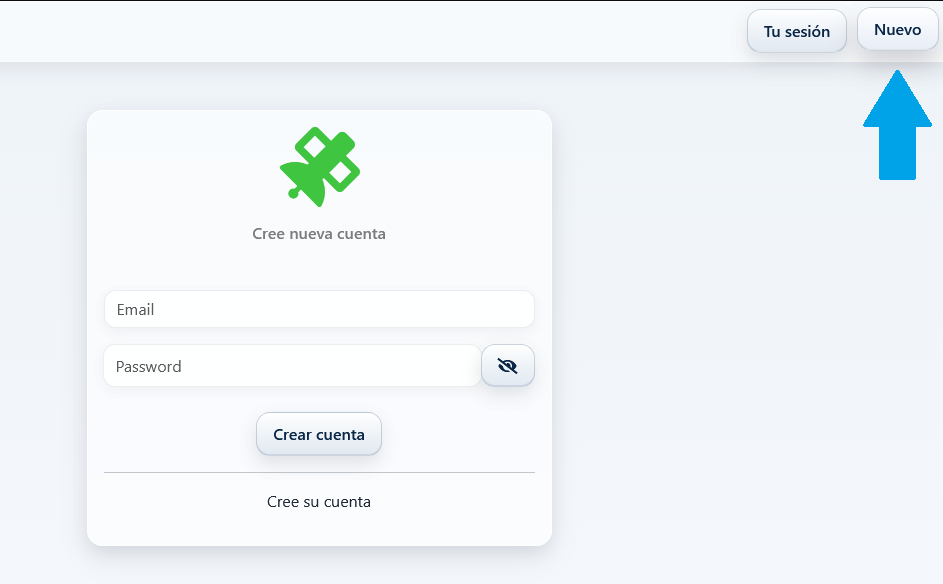
Step 4
Configure Your Device on Platform
Once inside your account:
1. Go to the Settings button
2. Enter your device's IMEI
3. Click the Add button
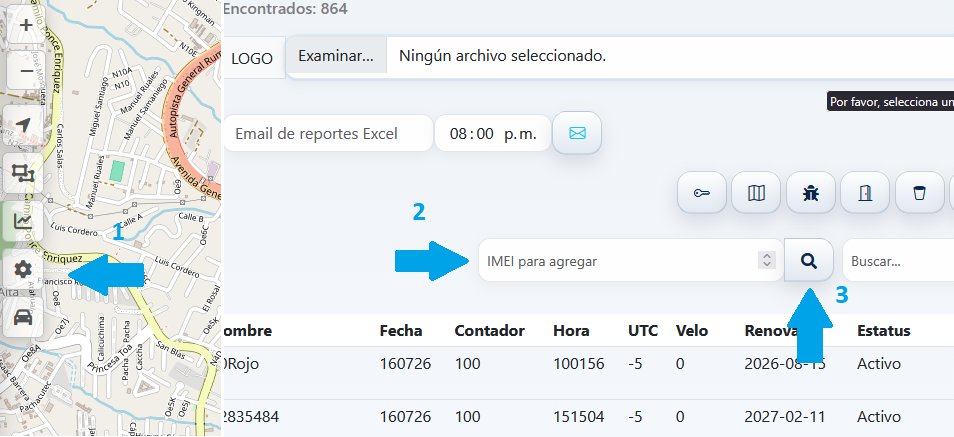
The IMEI is usually on your GPS device label
Ready to Track!
Your device should now appear on the map. If you have problems, contact us via WhatsApp.
Contact Support
×
![Ampliada]()